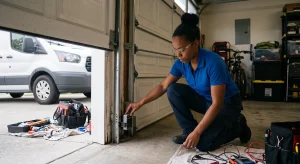

Discover how to fine-tune your LiftMaster opener. With this updated how-to guide, you can make smart adjustments at home to avoid costly garage door repairs!
Garage doors are used daily, but it can be frustrating when your LiftMaster opener doesn’t close or open properly. The good news is that adjusting a LiftMaster garage door opener is often an easy fix. With a few minor changes to the opener’s settings, you can usually get it working smoothly again.
Start by turning the travel and force screws slightly to adjust the distance or strength of the door’s movement. Clean and align the floor sensors. These quick checks often solve the problem. If it still doesn’t work, call a garage door repair expert for a swift and safe solution.

How a LiftMaster Garage Door Opener Works
Before adjusting your LiftMaster garage door opener, it’s essential to understand how it works. It controls how far the door moves and how much force it uses, and uses sensors to keep things safe.
- The travel limit settings determine how far the door opens or closes.
- The force adjustment controls how much pressure the opener uses to move the door.
- The safety sensors ensure that nothing is blocking the path.
When You Need to Adjust Your LiftMaster Garage Door Opener
Not all garage door problems require adjusting the opener. But there are clear signs that suggest something’s out of alignment or misconfigured:
- The door doesn’t fully close or open.
- It reverses immediately after hitting the floor.
- You hear grinding noises or notice jerky movement.
- The remote work is inconsistent.
- The door stops mid-operation without an apparent reason.
Garage Door Safety Tips Before Making Any Adjustments
Working on a garage door opener isn’t usually dangerous, but you should always take a few precautions:
1. Unplug the Opener
Always unplug your LiftMaster garage door opener before starting any adjustments. This helps prevent the motor from turning on by mistake while you work. Safety comes first; cutting power protects you and your new garage door system.
2. Check the Manual
Before you begin, check your LiftMaster manual for model-specific details. Controls and settings may differ between units. Having the manual nearby helps you find the right adjustment steps and prevents you from damaging parts during the process.
3. Clear the Area
Make sure children and pets stay out of the garage while you adjust your LiftMaster opener. Moving parts can cause injury, and distractions may lead to mistakes. A quiet, clear workspace keeps the job safer and easier for you.
How to Adjust Travel Limits on a LiftMaster Garage Door Opener
Travel limits control how far the door moves when opening or closing. This is likely the issue if your door doesn’t go up or down.
Step 1: Find the Adjustment Dials
Look near the motor housing of your LiftMaster opener. You’ll see two small dials or buttons, often white or colored. One adjusts how far the door opens, and the other controls how far it closes. These are your travel limits.
Step 2: Adjust Closing Limit
To close your garage door more, turn the down travel dial clockwise. To shorten the distance, turn it counterclockwise. Make small changes and test the door after each adjustment to avoid overcorrecting or causing the door to jam.
Step 3: Adjust Opening Limit
Use the up travel dial to change how far the door opens. Turn it clockwise if the door doesn’t open high enough, or turn it counterclockwise to reduce the height. Again, make small changes and test each time for the best results.
Step 4: Test the Door
Once you’ve made your adjustments, plug the opener back in and test the garage door. Watch how it moves. If it stops too soon or goes too far, repeat small adjustments until it opens and closes at the right spots.
How to Adjust the Force Settings on a Garage Door Opener
Force settings determine how much effort the opener uses to lift or lower the garage door. If your opener struggles to move the door or reverses unexpectedly, it may be set too low or too high.
1. Find Force Adjustment Screws
Look at your LiftMaster motor unit and locate the dials labeled “Up Force” and “Down Force.” These control how much power the opener uses to lift or lower the door. Use them if the door isn’t moving smoothly.
2. Adjust Force Settings
To increase the lifting or lowering force, turn the correct dial clockwise. To reduce the force, turn it counterclockwise. Always make small changes. Using too much force can be unsafe and may lead to damage over time.
3. Test After Each Adjustment
Only adjust about 1/8 of a turn each time. Then operate the garage door to see how it behaves. Make sure it opens and closes fully without jerking, stopping too soon, or reversing when it shouldn’t. Adjust again if needed.
How to Align Garage Door Safety Sensors Properly
If your garage door starts to close but reverses immediately, your safety sensors might be misaligned. These sensors are located near the bottom of each side of your garage door track.
1. Check Sensor Position
Look at both garage door sensors near the bottom of the tracks. They should face each other, with both LED lights on. If one light is off or blinking, the sensors are misaligned, or something is blocking the signal.
2. Adjust the Sensors
Carefully move each sensor so they point directly at each other. You might need to loosen the mounting screws to reposition them. Small changes can make a big difference. Once aligned, the LED lights should both stay on without blinking.
3. Clean the Sensor Lenses
Use a soft cloth to clean the front of each sensor gently. Remove any dirt, spider webs, or dust that may block the beam. Clean lenses help the sensors work properly and avoid false readings that stop the door from closing.
4. Secure and Test the Sensors
After cleaning and aligning, tighten the screws to hold the sensors in place. Then test your garage door. If both sensors are aligned correctly, the door should close without stopping or reversing midway. Adjust again if needed.
What to Do If the Remote Control Isn’t Working Properly
Sometimes the issue isn’t with the door or opener but the remote itself. If you’re adjusting a LiftMaster garage door opener and the remote feels unreliable, there are a few things to try:
1. Check the Batteries
If your LiftMaster remote isn’t working, check the batteries first. Weak or old batteries can stop the remote from sending a signal. Put in new batteries and test the remote to see if it starts working again.
2. Reprogram the Remote
Sometimes the remote forgets how to talk to the garage door opener. Use your LiftMaster manual to follow the steps for reprogramming. It only takes a few minutes and helps the remote work like it should again.
3. Check for Interference
LED lights, Wi-Fi routers, or other electronics can affect the remote’s signal. Try moving those things away from the opener. The problem will likely be signal interference if the remote starts working better.
How to Reset Your Garage Door Opener Easily
If adjustments aren’t working or you’re unsure of the current settings, resetting the opener can help. Here’s how:
- Unplug the opener for 30 seconds.
- Plug it back in. Some models may reset automatically; others may require you to reprogram travel and force settings.
- Follow your manual’s setup instructions to re-teach the opener the correct limits.
Tips for Maintaining a Smooth-Running Garage Door Opener
Even after successfully adjusting a LiftMaster garage door opener, you’ll want to keep it in good shape to prevent future problems.
- Lubricate moving parts every few months. Use garage door lubricant on rollers, hinges, and springs.
- Inspect the tracks and make sure they’re aligned and clean.
- Tighten loose bolts or screws on the opener and door hardware.
- Test the safety reverse system monthly. Place a 2×4 on the floor where the door closes; it should reverse when it touches it.

Frequently Asked Questions
How to adjust the force on a garage door opener with manual adjustment screws?
Find the two screws on the opener marked “up force” and “down force.” Turn the screws slowly. Turn right to add power and left to reduce it. Test the door after each change. Always unplug the garage door opener first to stay safe.
How do you program a LiftMaster garage door opener?
Press the “learn” button on the opener unit. Then press the remote button you want to use. When the light on the unit blinks, the remote is ready. Your LiftMaster garage door opener is now programmed to open and close the door.
How do you adjust a chain-driven garage door opener?
First, unplug the garage door opener. Find the bolt near the chain. Turn it until the chain is tight but not too tight; it should have a little slack. This helps the opener work quietly and keeps your garage door moving correctly.
Do garage door opener chains stretch?
Yes, garage door opener chains stretch over time. When they do, the chain might hang too low or make noise. You can fix this by tightening the chain. Keeping it adjusted helps your garage door opener work better and last longer.
.
How to adjust the force on a garage door opener with manual adjustment screws?
Find the two screws on the opener marked “up force” and “down force.” Turn the screws slowly. Turn right to add power and left to reduce it. Test the door after each change. Always unplug the garage door opener first to stay safe.
How do you program a LiftMaster garage door opener?
Press the “learn” button on the opener unit. Then press the remote button you want to use. When the light on the unit blinks, the remote is ready. Your LiftMaster garage door opener is now programmed to open and close the door.
How do you adjust a chain-driven garage door opener?
First, unplug the garage door opener. Find the bolt near the chain. Turn it until the chain is tight but not too tight; it should have a little slack. This helps the opener work quietly and keeps your garage door moving correctly.
Do garage door opener chains stretch?
Yes, garage door opener chains stretch over time. When they do, the chain might hang too low or make noise. You can fix this by tightening the chain. Keeping it adjusted helps your garage door opener work better and last longer.
End Note
If you’re looking for reliable garage door services, Alachua Door Company is here for you. We offer expert solutions, from simple repairs to complete installations. Learn more about our team on the About Us page and explore our full Service Areas to see where we work.
We provide garage door spring repair and helpful extras like insect protection to keep your garage clean and secure. Use our Design Your Door tool or check out top brands like Amarr. We proudly serve Chiefland, FL, for trusted repairs, with fast and professional service.
Stay updated with garage door tips, how-to guides, and service insights on our Blog and Video Gallery. Follow us on Facebook and Instagram for updates. For help, visit our Contact Us page or find us on Google Maps.
Alachua Door Company
18238 NW US Hwy 441, High Springs, FL 32643, United States
+13864180100